
THE FLOVA GUIDE
From setup to your first order.
A practical, step-by-step guide for you and your team.
01Get a FLOVA account
Your owner invitation and setup.
Get a FLOVA account
Your owner invitation and setup.
02Set up your shop
Start with your first shop.
Set up your shop
Start with your first shop.
03Create your items
Build one master catalog.
Create your items
Build one master catalog.
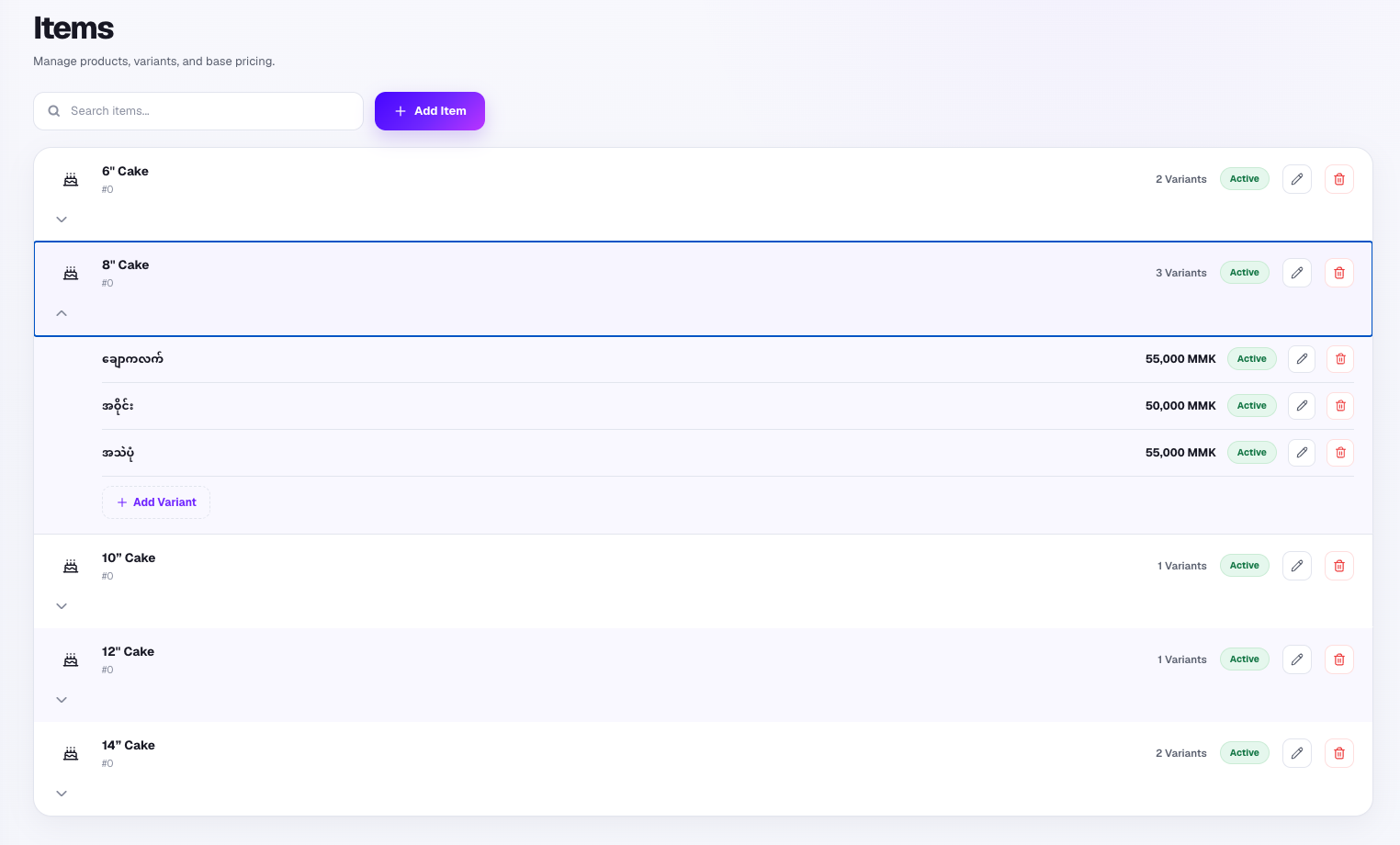
Build your master catalog in Admin. For example: 6-inch Cake, 8-inch Cake, Butter Cake, and Pizza.
04Add variants and prices
Add choices and their prices.
Add variants and prices
Add choices and their prices.
05Assign items to shops
Choose what each shop sells.
Assign items to shops
Choose what each shop sells.
06Set up FLOVA POS
Authorize your shop device.
Set up FLOVA POS
Authorize your shop device.
07Take your first order
Capture the details that matter.
Take your first order
Capture the details that matter.
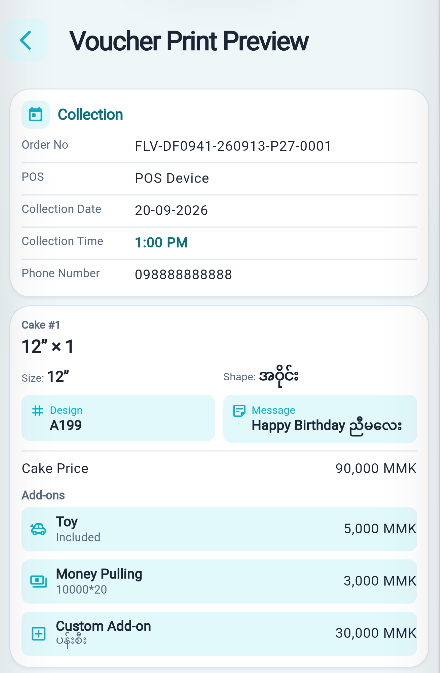
Start a new order. Set the due date and time, add customer details, choose the item and variant, and enter any design code or customizations. Preview the details, then confirm.
08Print your vouchers
Customer and kitchen vouchers.
Print your vouchers
Customer and kitchen vouchers.
09Bring the kitchen into the flow
Relevant details for production.
Bring the kitchen into the flow
Relevant details for production.
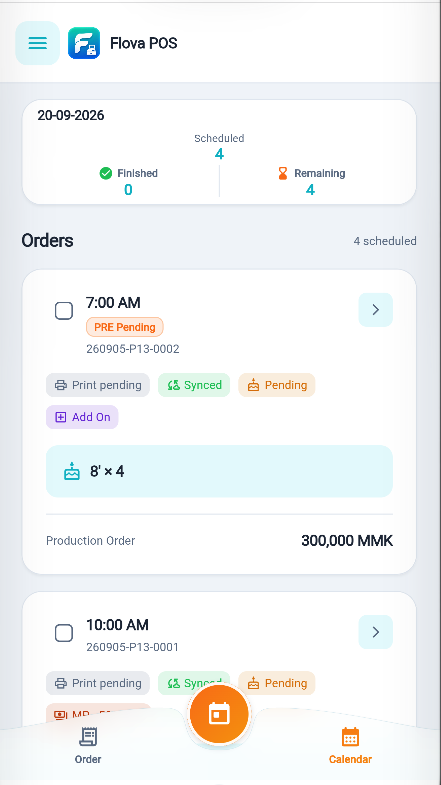
Once the confirmed order syncs and the connection permits, the kitchen team can view its relevant production details in FLOVA Kitchen.
10Review your business in Admin
A separate view for the owner.
Review your business in Admin
A separate view for the owner.
11Run multiple shops
Availability and pricing by shop.
Run multiple shops
Availability and pricing by shop.
Ready for a more organized order day?
Bring your counter, kitchen, and business together with FLOVA.