
THE FLOVA ECOSYSTEM
A place for every part of the work.
Three focused products, working together around your orders.
Admin configures catalog & shopsPOS takes ordersKitchen views synced ordersSales data supports Admin reports. Kitchen availability depends on sync and connectivity.

FLOVA POS · AT THE COUNTER
Get every order detail right.
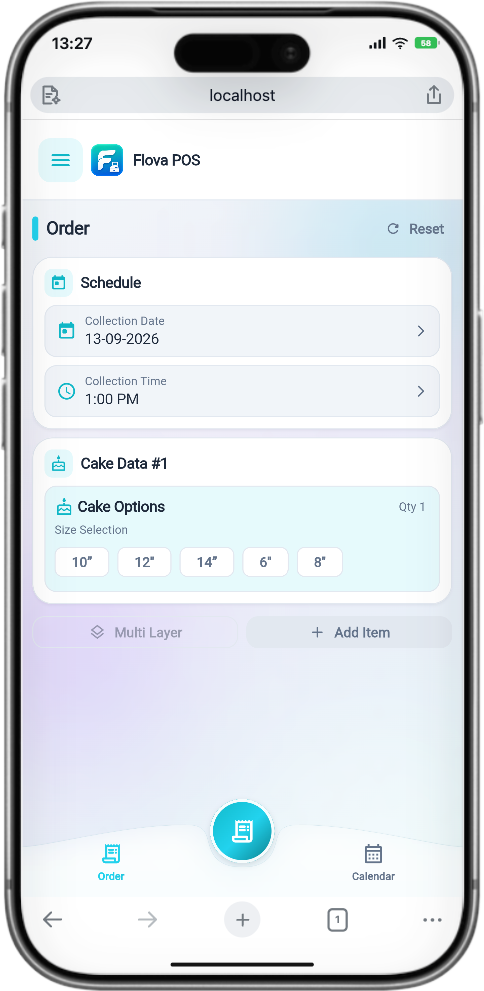
Take birthday and custom orders with the details your team needs, from the right variant to the collection time.
- Item and variant selection
- Customer details, due date and time
- Design codes and optional customizations
Explore features
- Order preview and confirmation
- Bluetooth customer and kitchen vouchers
- Calendar and offline-friendly catalog

FLOVA Kitchen · IN THE KITCHEN
A focused view for the team making it.
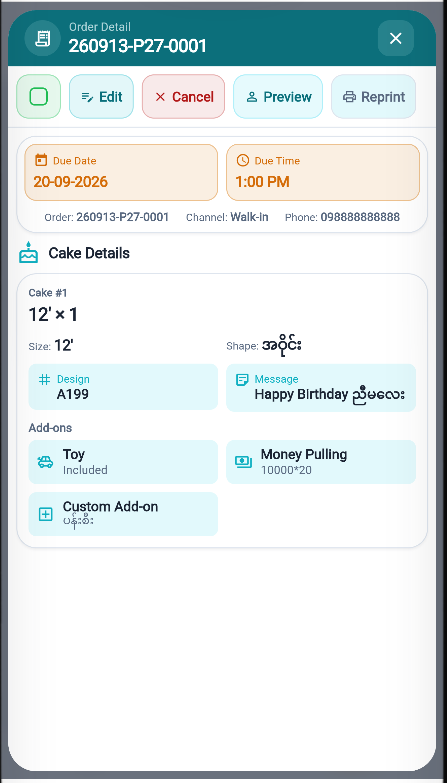
Give your kitchen a separate space for relevant order information and production planning, away from sales and business settings.
- Relevant confirmed-order information
- Operational calendar and due dates
- Production-focused order details
Explore features
- Orders available when network and sync permit

FLOVA Admin · FOR THE OWNER
Manage the business behind the orders.
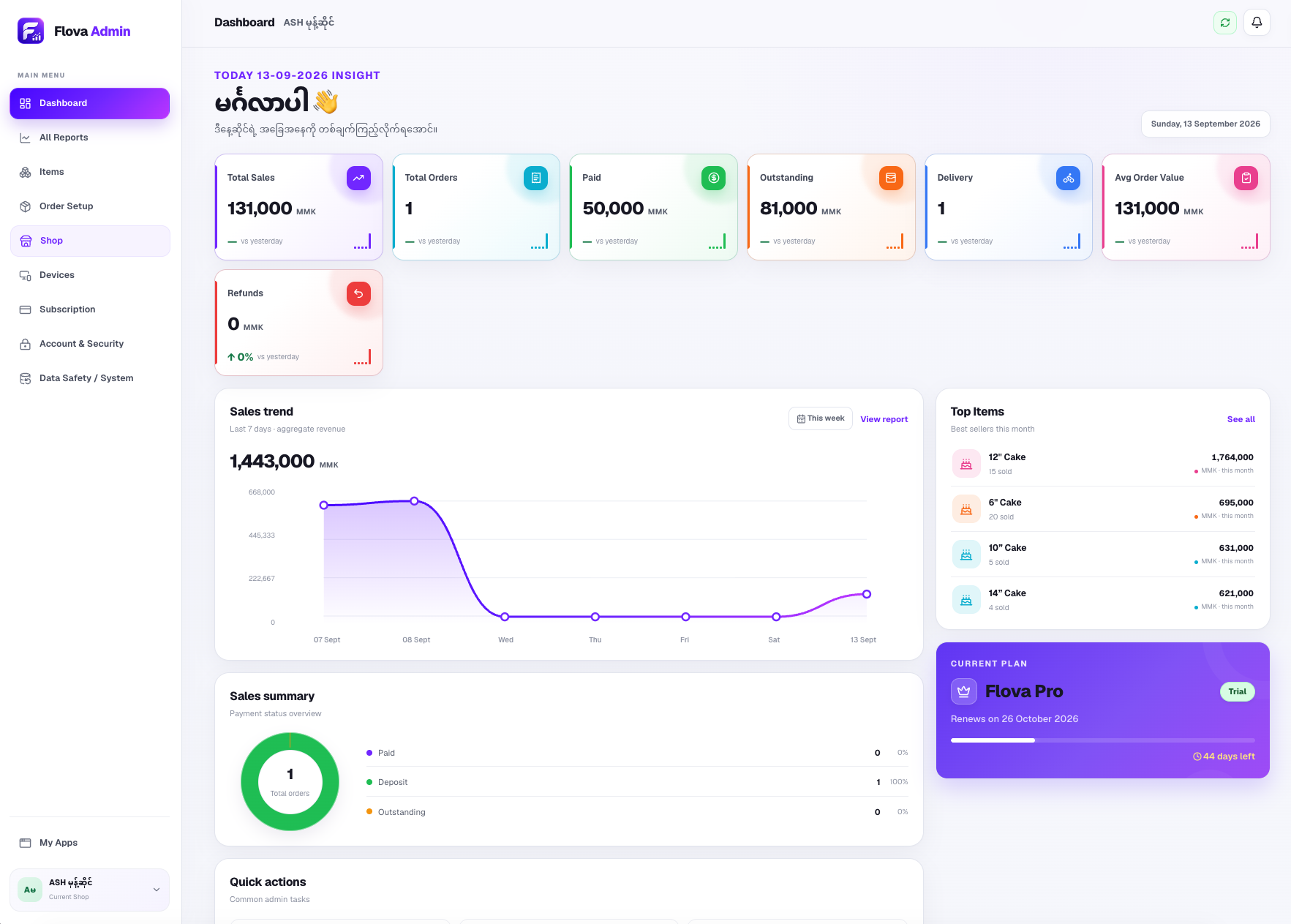
A separate web dashboard to organize your business setup and understand sales performance.
- Sales analysis and reports
- Items and variant management
- Shops and item availability
Explore features
- Optional shop-specific variant prices
- Device and subscription management
- Account and security settings
FLOVA ONE
Ready for a more organized order day?
Bring your counter, kitchen, and business together with FLOVA.